
To maximize the effectiveness of the "Try with Mirra" service on your Shopify store, specific settings need to be configured. These adjustments ensure that the checkout process is smooth, and communication lines between your store and customers are clear, enhancing the overall customer experience.
Step 1: Collect Customer Contact Information
Purpose: To ensure seamless communication with customers for order completion.
Instructions:
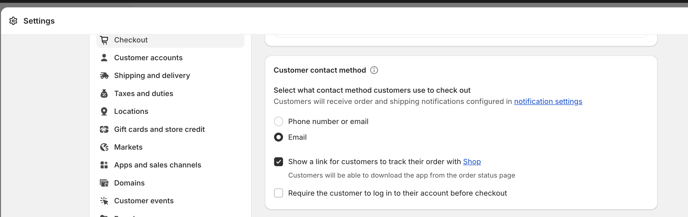
- Access your Shopify admin panel and navigate to 'Settings' > 'Checkout' to adjust settings.
- In the 'Customer contact' section, select the option that mandates customers to provide their email.
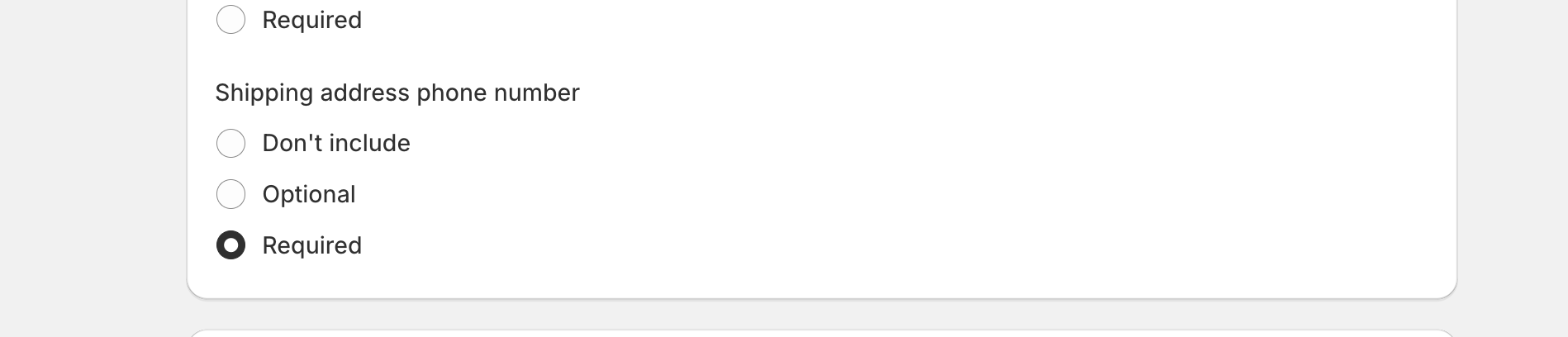
- Make sure to set the 'Shipping address phone number' as 'Required' to enable communication via SMS or call if needed.
Step 2: Update Checkout Page Text
Purpose: Add custom text to your checkout page only when Mirra items are being ordered. This is to provide further clarity regarding the process and terms of the Try with Mirra order during checkout.
Instructions:
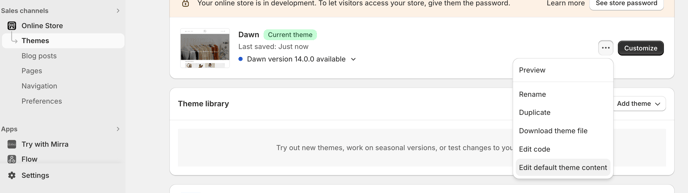
- Access Language Settings: In your Shopify admin panel, navigate to 'Online Store' > 'Themes'. Locate your active theme, click the '3 dots' dropdown, and choose 'Edit Default Theme Content'.
Update the text fields: - Deferred Total Due Date Label: Search for 'Deferred total due date label'. Change it to "Total due after trial (if kept)" to clearly outline payment expectations.
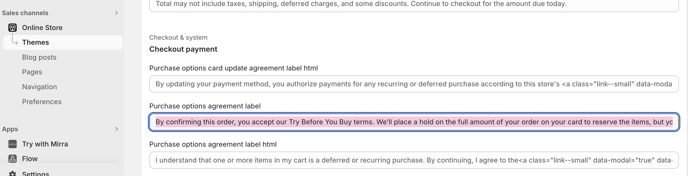
- Purchase Agreement Label: Search for 'Purchase options agreement label' and update the text to reflect the following:
By confirming this order, you accept our Try Before You Buy terms. We’ll place a hold on the full amount of your order on your card to reserve the items, but you won’t be charged now. This will appear as pending in your account, not as a completed payment. Please ensure you have sufficient funds available. You will only be charged if you decide to keep the items. A $10 return fee will apply only if all items are returned.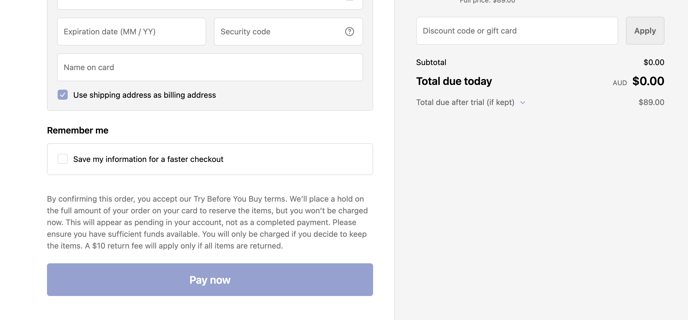
Support Note: For assistance with configuring these settings or any other issues related to the Try with Mirra setup, please do not hesitate to contact our support team at support@trywithmirra.com.